
Account and sign-in
The three ways of signing in on the web, step by step.
Tableau de bord → Mon compte (Dashboard → My account)
Three ways of signing in on the web
Open the sign-in or sign-up page. You can carry on with Google, receive a six-digit code by e-mail, or have the sign-in confirmed by the Wobelio app. These three paths open the same dashboard and none of them asks for a Wobelio password.
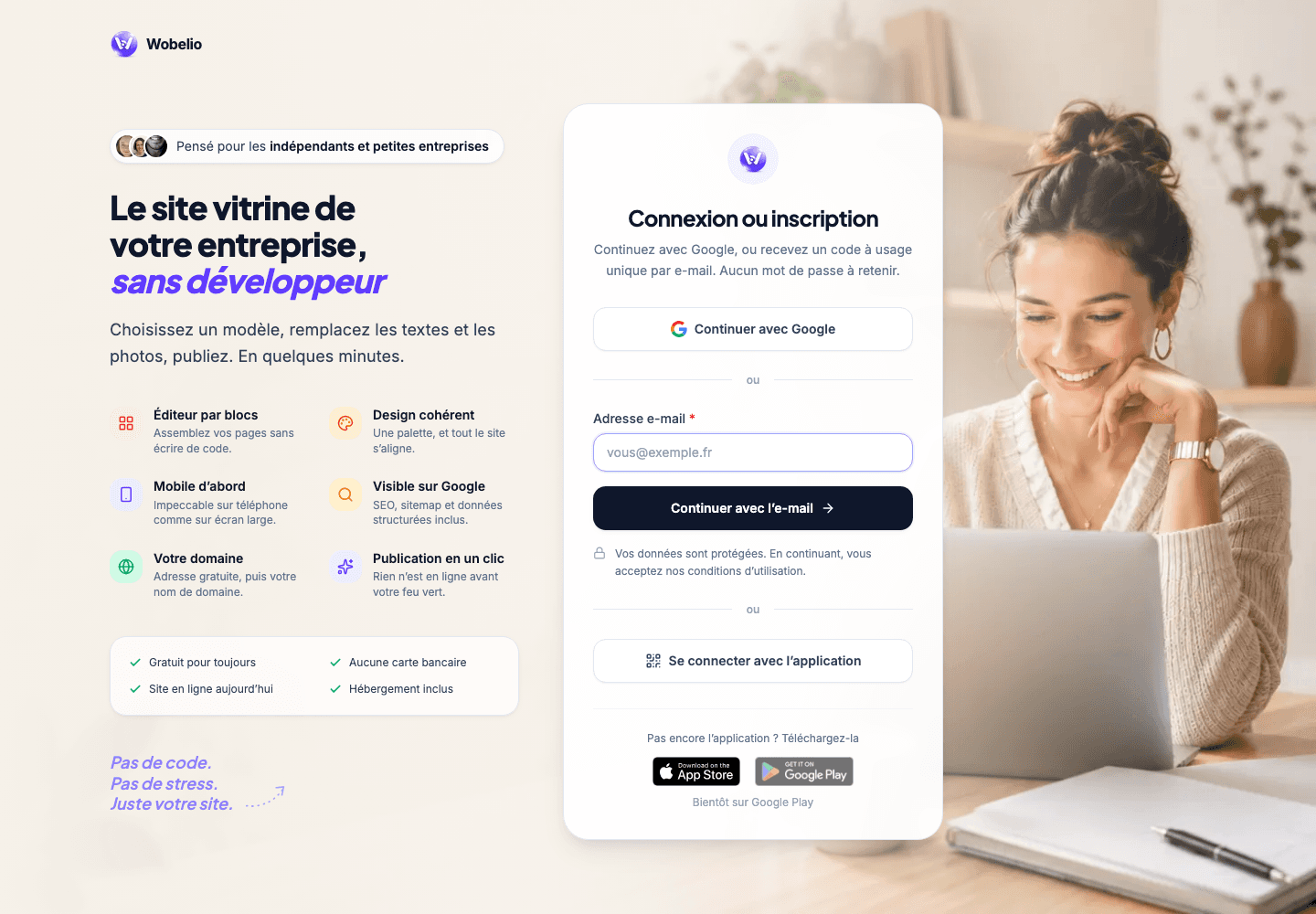
Carry on with Google
Choose « Continuer avec Google » (Carry on with Google), select your Google account then authorise the sign-in. Use the Google account carrying the same address as your Wobelio account, so as to find your sites again. If the Google window does not open, allow pop-up windows then start over.
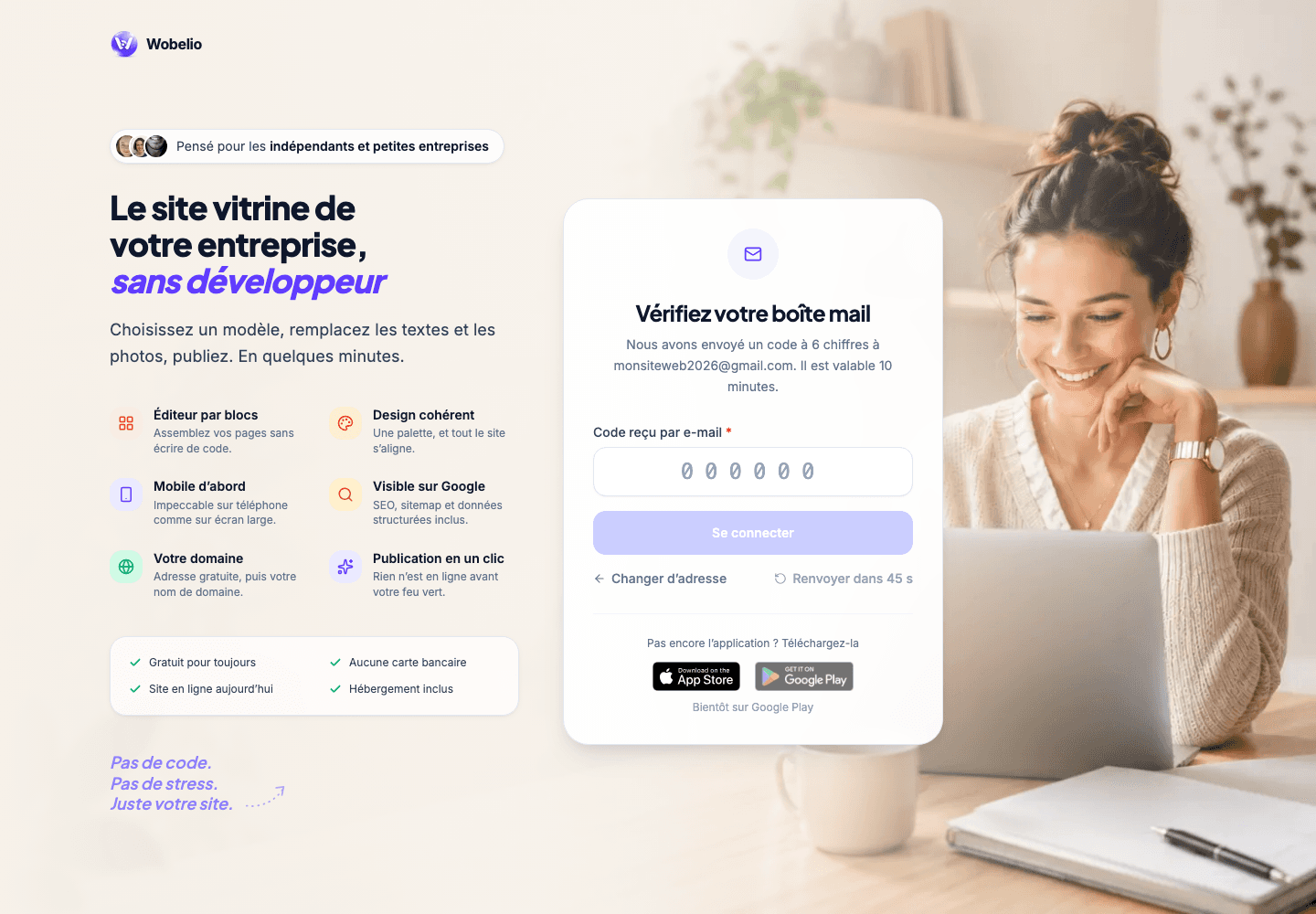
Receive a code by e-mail
Enter your address then choose « Continuer avec l’e-mail » (Carry on with e-mail). Copy the six digits you receive into the next page. The code is valid for ten minutes and works only once. This method works just as well for signing in as for creating an account: there is no Wobelio password to remember.
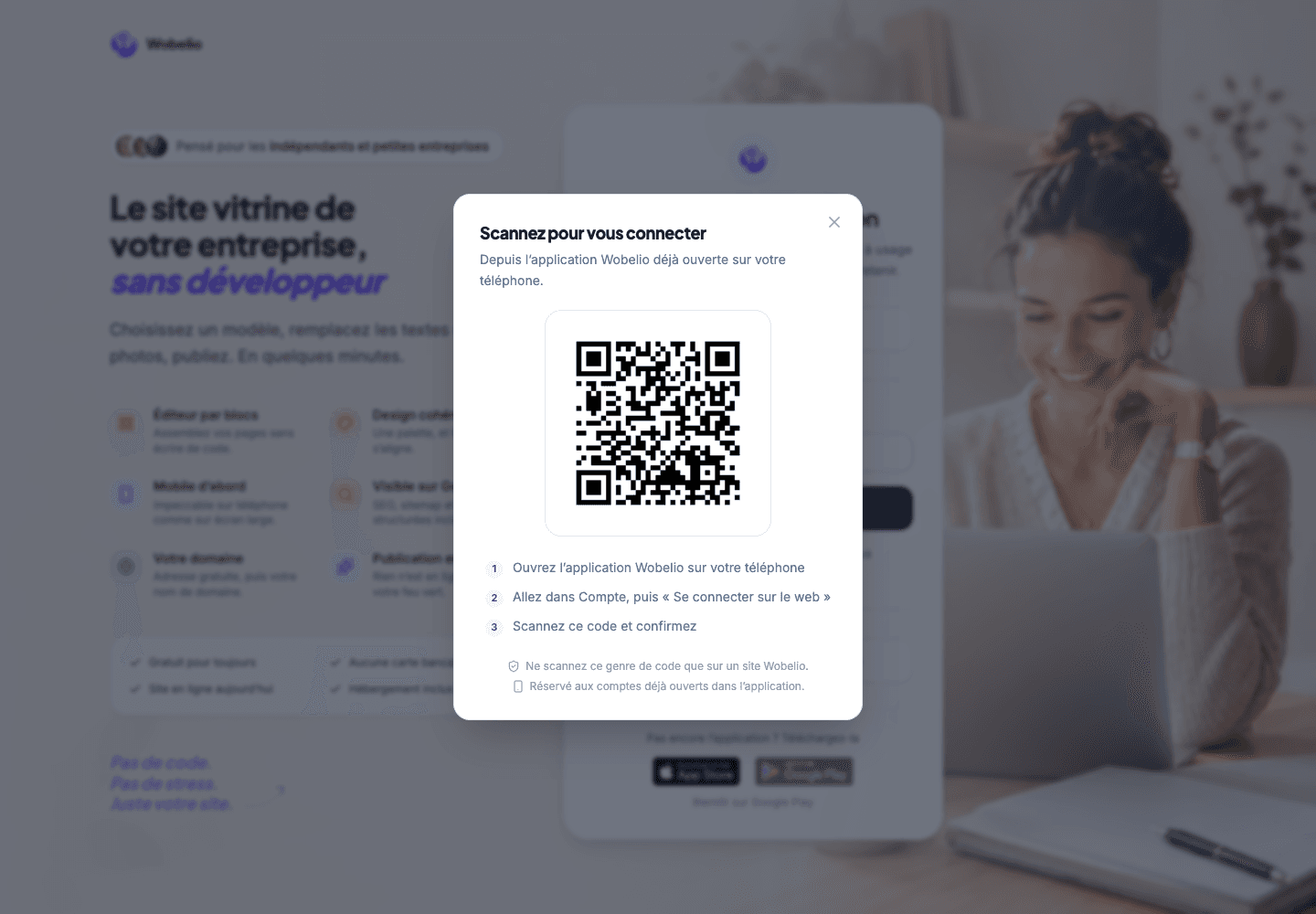
Sign in with the app
This option is reserved for an account already open in the Wobelio app. On the computer, choose « Se connecter avec l’application » (Sign in with the app). On your phone, open Wobelio, go to Compte (Account) then « Se connecter sur le web » (Sign in on the web), scan the QR shown on the computer and confirm. The browser waits as long as you have not confirmed on the phone.
If signing in fails
For an e-mail code, check the address you entered and the spam folder, then use « Renvoyer le code » (Send the code again) once the delay is over: only the most recent code should be entered. For a QR that has expired or already been used, generate a new one. Never confirm a QR request that you did not open yourself on wobelio.com.
Once signed in
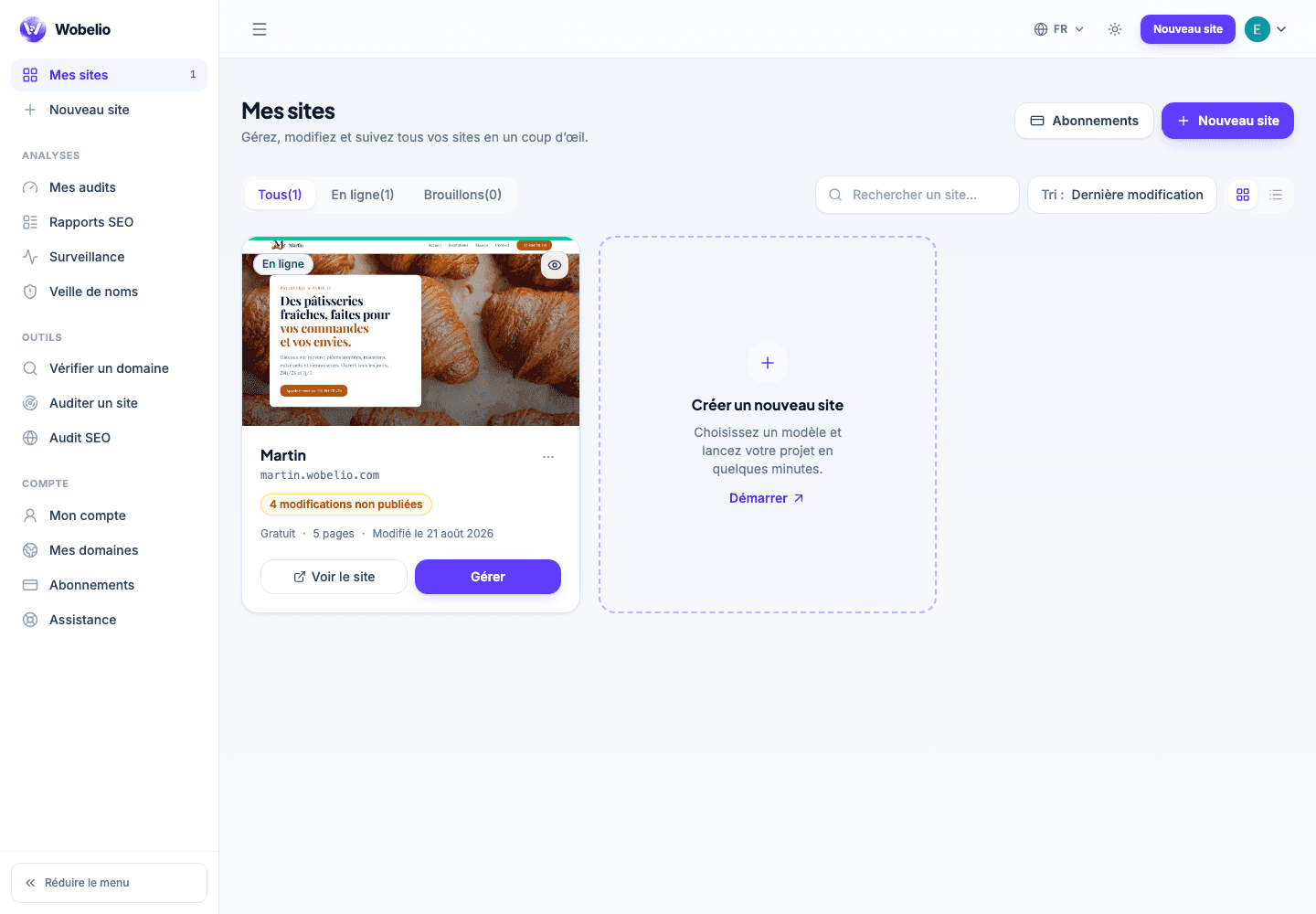
After validation, Wobelio automatically opens « Mes sites » (My sites). There you find the sites attached to your account, their publication status and the actions for viewing or managing them. If that page is empty, check that you used the same address or the same Google account as when the site was created.
Cet article ne répond pas à votre cas ? Écrivez-nous depuis votre espace.